QR Code Menu vs PDF Menu: Why Restaurants Are Switching (2026)

A
Ahmad Tayyem
Published: April 1, 2026 13 min read
QR Code Menu vs PDF Menu: Why Restaurants Are Switching (2026)

Key Takeaway

PDF menus behind QR codes fail on mobile — slow loading, pinch-to-zoom, zero analytics. Compare PDF vs interactive QR code menus with real data from Toast, Square, and BOIA.

During the pandemic, millions of restaurants rushed to create "digital menus." Most did it the same way: export the paper menu as a PDF, upload it to Google Drive or their website, and put the link behind a QR code.

It worked in an emergency. But in 2026, a PDF behind a QR code is not a digital menu — it's a paper menu displayed on a smaller screen. And the difference matters more than most owners realize. It affects loading speed, readability, order value, accessibility compliance, and your ability to update prices without reprinting.

We analyzed data from Toast's 2024 survey of 850 diners, the Bureau of Internet Accessibility (BOIA), Square's Future of Restaurants report, and Statista to break down exactly why the PDF-behind-a-QR-code approach is costing restaurants customers — and what to use instead.

Let's clarify the two approaches most restaurants use:

PDF Menu (Static Document)

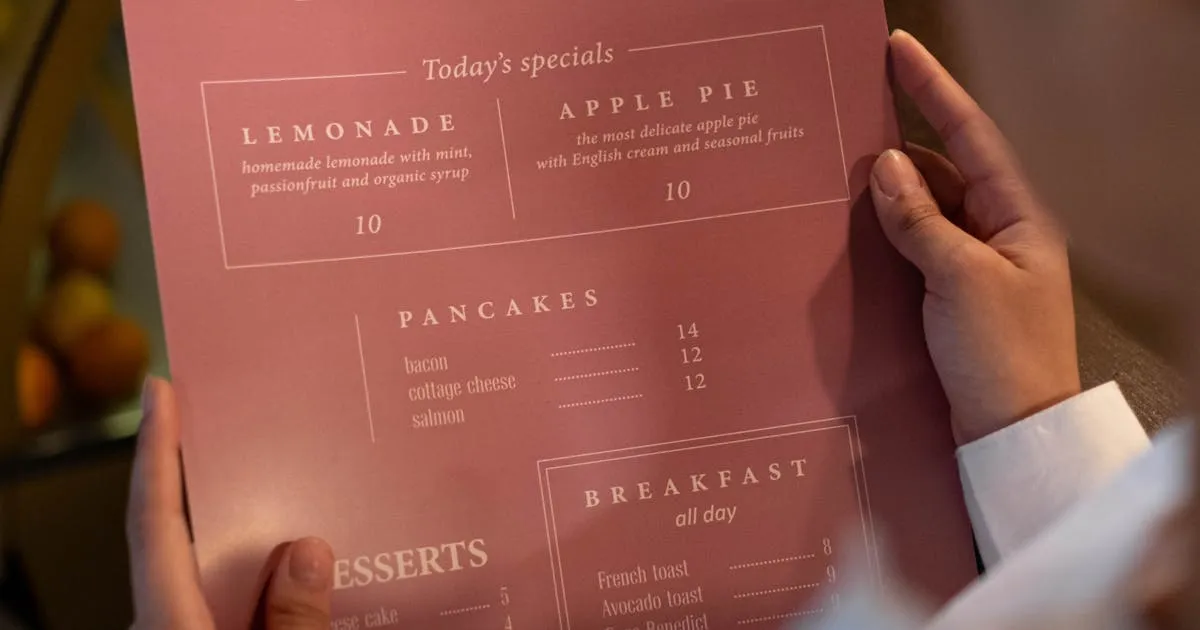
A PDF menu is a fixed-layout document — typically a scan of the paper menu or a designer's export. When a customer scans your QR code, it downloads the PDF file onto their phone. The customer sees the exact same layout as the paper version, but on a 6-inch screen instead of an 8.5×11 inch page.

PDFs can't be updated without re-uploading a new file. They can't display interactive features, dietary filters, or real-time pricing. And they load slowly on mobile — a typical restaurant PDF is 2–10 MB.

Interactive QR Code Menu (Live Web Page)

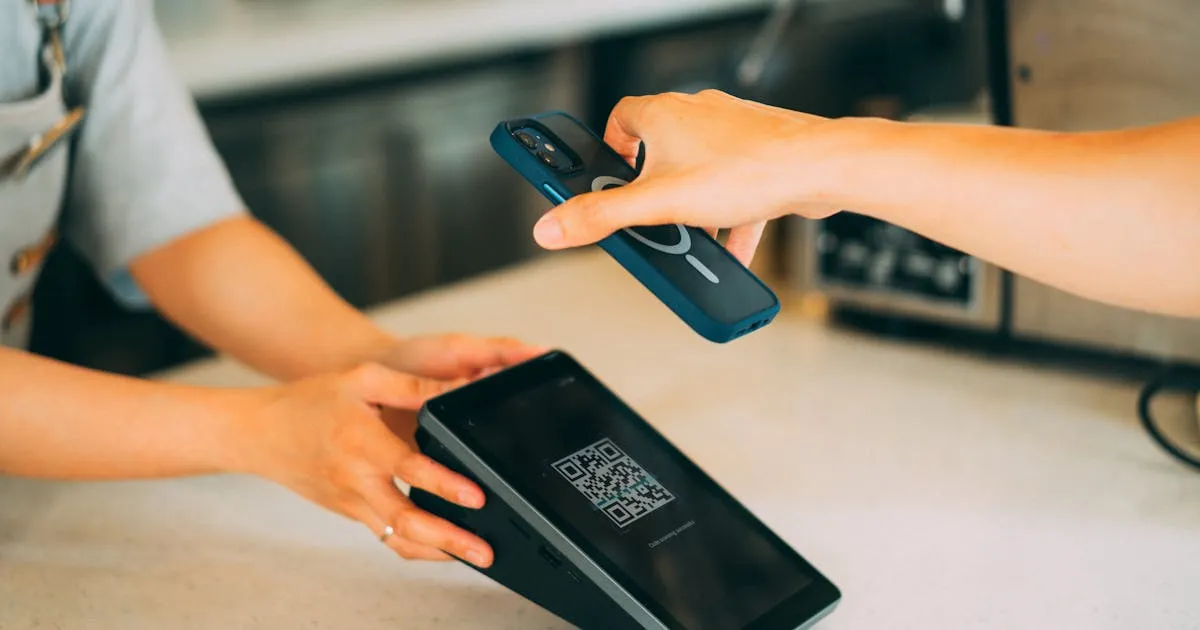
An interactive QR code menu is a mobile-optimized web page that loads when a customer scans the QR code. Instead of downloading a document, the menu renders directly in the phone's browser — just like any website.

It's designed for small screens: text reflows to fit the device, photos are compressed for fast loading, and items are organized in tap-friendly categories. Updates happen in real time — change a price on your dashboard and every customer sees it immediately. The QR code itself never changes.

Understanding this distinction is the first step. For a complete overview of how digital menus work, see our guide to digital menus.

The PDF format was designed for printing documents, not for reading on phones. Here's what the data shows:

1. Loading Speed: PDFs Are 5–10x Heavier

A typical restaurant PDF menu with photos and formatted text weighs 2–10 MB. An optimized web-based menu delivers the same content at under 500 KB. According to BOIA's analysis, HTML menus load significantly faster because they use compressed images and efficient text rendering.

Why does this matter? Google's research found that 53% of mobile users abandon pages that take over 3 seconds to load. A 5 MB PDF on a restaurant's WiFi can easily take 4–8 seconds. That means half your customers may give up before they even see your menu.

2. The Pinch-to-Zoom Problem

PDF menus display at a fixed layout size — usually letter or A4. On a phone, that means the text is microscopic. Customers have to pinch to zoom, scroll horizontally and vertically, and constantly reposition the page to read each section. According to Toast's survey, 26% of customers say they can't read the small text on digital menus — and most of those complaints trace back to PDF menus, not properly designed web menus.

3. Accessibility Failures

This is the most serious issue. BOIA reports that most PDF restaurant menus are image-based — meaning they contain zero actual text. Screen readers used by visually impaired customers can't read them at all. This creates potential ADA compliance violations that could expose your restaurant to legal risk. Web-based menus, by contrast, use semantic HTML that screen readers can navigate naturally.

4. No Search, No Filter, No Interactivity

A customer with a gluten allergy can't filter your PDF menu. A tourist can't translate it. A vegetarian can't hide meat dishes. A PDF is a static image — what you see is all you get. Interactive web menus support dietary filters, search, multiple languages, and category navigation that lets customers find what they want in seconds.

Here's how PDF menus and interactive QR code menus compare across every dimension that matters to restaurants:

FeaturePDF MenuInteractive QR Menu
Mobile loading speed4–8 seconds (2–10 MB)<2 seconds (<500 KB)
Text readability on phonePinch-to-zoom requiredAuto-reflows to screen size
Screen reader accessibleUsually no (image-based)Yes (semantic HTML)
Update menu itemsRe-upload entire fileInstant, from any device
Food photosLow-res, fixed layoutHigh-res, optimized per device
Dietary filters / searchNot possibleBuilt-in
Multi-language supportSeparate PDF per languageAuto-detect or toggle
Analytics (views, popular items)NoneIncluded
Daily specials / promotionsNeed new PDF each timeToggle on/off instantly
SEO / Google visibilityRarely indexedIndexable, shareable URL
CostFree hosting + design timeFree–$84/year

The comparison is clear: PDF menus were a stopgap solution. Interactive web menus are the actual digital transformation.

Beyond the user experience, interactive menus have a measurable impact on revenue:

Food Photos Increase Order Values by 15–30%

Toast's survey found that 66% of diners prefer menus with food photography — rising to 77% among 18–24 year olds. Interactive web menus display optimized, full-color photos for every item. PDF menus show compressed, fixed-resolution images that often look blurry on phone screens.

The revenue impact is significant. According to research compiled by OrderTiger, digital menus with visual prompts and photos increase average check sizes by 15–30%. A University of Massachusetts Lowell study found that restaurants using digital ordering saw average checks climb by 28%.

15% Faster Table Turnover

Square's data shows that restaurants using QR code-based ordering see a 15% increase in table turnover. When customers can browse the menu on their phone immediately — without waiting for a server to bring a physical menu — order decisions happen faster.

Real-Time Promotions That Actually Work

With an interactive menu, you can promote high-margin items, happy hour specials, or limited-time offers the moment they go live. 52% of consumers say limited-time offers influence their restaurant choice, according to Restroworks' analysis of restaurant menu statistics. A PDF menu can't do this without a full re-upload every time you want to add a special.

Analytics That Inform Decisions

Interactive menus track which items customers view most, what time of day your menu gets the most traffic, and which categories get the most attention. This data helps you optimize pricing, placement, and promotions — something a PDF menu can never provide. Learn more about the true cost of menus that can't provide these insights.

Here's something most digital menu companies won't tell you: when Toast surveyed 850 US diners in 2024, 81% said they prefer physical menus. Among customers 55 and older, that number rises to 90%.

So why are we recommending interactive menus? Because the data reveals an important nuance:

  • Most negative experiences with "QR code menus" are actually negative experiences with PDF menus behind QR codes — slow loading, tiny text, pinch-to-zoom frustration
  • When customers use a well-designed, mobile-optimized interactive menu, satisfaction is significantly higher
  • 51% of customers say browsing a QR menu increases their satisfaction when the experience is good, according to Menuviel's analysis
  • 78% of diners are comfortable with QR code menus — the issue isn't the QR code, it's what's behind it

The takeaway: a bad QR experience (PDF) turns customers off; a good QR experience (interactive web menu) increases satisfaction and order value. And for the customers who still prefer physical menus? Keep a few printed copies on hand. The best approach is digital-first with printed backups — you'll satisfy every customer while saving thousands on printing. For step-by-step instructions, read our guide to creating your first digital menu.

How to Switch from a PDF Menu to an Interactive QR Code Menu

1

Audit your current QR code setup

Scan your own QR code on a phone. Does it open a PDF that requires pinch-to-zoom? Time how long it takes to load. If it's over 3 seconds or requires zooming, you're losing customers. Take note of your current menu items, prices, and categories.

2

Choose an interactive menu platform

Sign up for a mobile-optimized digital menu platform like Menujo. Look for: instant QR code generation, mobile-first design, photo support, real-time editing, and dietary tags. Most platforms offer a free tier that covers the basics.

3

Build your menu online

Add your items organized by category (Appetizers, Mains, Desserts, Drinks). Include prices, short descriptions, and photos for your top sellers. Menus with food photos see 15–30% higher order values. Mark dietary options like Vegan, Halal, or Gluten-Free.

4

Replace your QR codes

Download your new QR code and print it on table cards, stickers, or tent cards. Since the QR links to a live web page (not a static file), you'll never need to reprint it — even when you update the menu. One print, permanent use.

5

Keep a few printed menus as backup

Have 5–10 printed menus available for customers who ask. This hybrid approach satisfies every demographic while cutting your printing costs by over 90%. Most restaurants find that within a month, fewer than 5% of customers request the printed version.

The distinction between a PDF menu and an interactive QR code menu is the difference between "going digital in name only" and actually transforming how your restaurant communicates with customers.

PDF menus were a necessary compromise during the pandemic. But in 2026, with nearly 100 million Americans scanning QR codes annually and 45% of restaurants offering QR-based menu access, customers expect a smooth, mobile-optimized experience — not a zoomed-out PDF.

The switch takes minutes, costs nothing, and pays for itself immediately in reduced printing expenses and increased order values. If your QR code still opens a PDF, today is the day to upgrade.

Ready to see the difference? Create your free interactive menu on Menujo — your first menu can be live in under 5 minutes.

Frequently Asked Questions

What is the difference between a QR code menu and a PDF menu?

A QR code menu is a live, mobile-optimized web page that loads when customers scan a QR code. A PDF menu is a static document file. The key differences: QR web menus load faster (under 2 seconds vs 4–8 seconds for PDFs), text automatically reflows to fit any screen size, updates happen instantly, and they support features like dietary filters and analytics. PDF menus require pinch-to-zoom, can't be updated without re-uploading, and provide no analytics.

Why are PDF menus bad for restaurants?

PDF menus create four main problems: (1) Slow loading — a 5 MB PDF takes 4–8 seconds on mobile, and Google found 53% of users abandon pages over 3 seconds; (2) Poor readability — fixed layouts require pinch-to-zoom on phones; (3) Accessibility violations — most PDF menus are image-based and can't be read by screen readers, risking ADA non-compliance; (4) No real-time updates — every menu change requires a new file upload.

Can customers still use QR codes if I switch from PDF?

Yes. The QR code works exactly the same way — customers scan it with their phone camera. The only difference is what opens: instead of downloading a PDF file, they see a mobile-optimized web page that loads faster, reads better on small screens, and supports photos, search, and dietary filters. The scanning process is identical.

How much does an interactive QR code menu cost?

Free to $84/year for most restaurants. Platforms like Menujo offer a free tier that includes a full menu with photos, QR code, and dietary tags. Paid plans ($7–$50/month) add analytics, custom branding, and multiple menus. By comparison, printed menus cost $2,400–$5,000+ per year — making even the most premium digital plan far cheaper.

Do interactive menus really increase order value?

Yes. Research shows interactive digital menus with food photos increase average check sizes by 15–30%. A University of Massachusetts Lowell study found a 28% increase with digital ordering. Toast reports that 66% of diners prefer menus with food photography — and the visual presentation encourages customers to explore more items and add dishes they might not have noticed on a text-only PDF.

What about customers who don't like QR codes?

Toast's 2024 survey found 81% of diners still prefer physical menus, and 90% of those 55+ feel this way. The solution: go digital-first but keep 5–10 printed menus as backup. Most restaurants find fewer than 5% of customers actually request printed menus after a brief transition period. This hybrid approach satisfies every customer while cutting printing costs by over 90%.

Are PDF menus ADA compliant?

Usually not. The Bureau of Internet Accessibility (BOIA) reports that most restaurant PDF menus are image-based, meaning they contain no actual text that screen readers can interpret. This makes them inaccessible to visually impaired customers and creates potential ADA compliance violations. Web-based menus use semantic HTML that screen readers navigate naturally.

How fast do interactive menus load compared to PDFs?

A typical restaurant PDF is 2–10 MB and takes 4–8 seconds to load on mobile. An optimized interactive web menu delivers the same content at under 500 KB and loads in under 2 seconds. Google's research shows 53% of mobile users abandon pages that take more than 3 seconds — meaning PDF menus may be losing you half your potential viewers before they even see your food.

Can I update prices without reprinting QR codes?

Yes — that's the core advantage. An interactive QR code points to a web URL, not a file. When you update prices, add seasonal items, or mark dishes as sold out on your dashboard, the changes appear instantly for the next customer who scans. The QR code itself never changes, so you print it once and use it forever.

What percentage of restaurants use QR code menus in 2026?

Approximately 52% of US restaurants now offer QR code menu access, according to MenuTiger. Square reports 45% of surveyed restaurants offer QR or URL-based menus. QR code adoption by restaurants has increased 150% in the past two years, and Statista estimates nearly 100 million Americans scanned QR codes in 2024. The global restaurant QR ordering market is valued at $2.84 billion.

Should I keep my PDF menu if I switch to interactive?

No — there's no benefit to maintaining a PDF menu alongside an interactive one. The PDF creates a worse experience on every dimension (speed, readability, accessibility, updateability). Use the interactive web menu as your primary digital menu and keep a small stock of printed menus for customers who prefer physical copies. This gives you the best of both worlds.

How do I know if my current QR code opens a PDF?

Scan your QR code with your phone. If the menu downloads as a file, opens in a PDF viewer, or requires pinch-to-zoom to read item names, it's a PDF. If it opens in your web browser with text that fits the screen, tap-friendly categories, and fast-loading photos, that's an interactive web menu. If yours is a PDF, platforms like Menujo can help you switch in under 5 minutes.

Enjoyed this article? Share it!

Restaurant Background
Get Started Today

Ready to Create Your Free Digital Menu?

Join 500+ restaurants using Menujo. Create your free menu in minutes. No credit card required.

Free Forever • No Credit Card Required • Plans from $7/month