GloriaFood Shutting Down: What Restaurants Should Do
Key Takeaway
GloriaFood and an Oracle FAQ list April 30, 2027; another Oracle page lists March 31. Confirm account dates before moving menus, orders and payments.
GloriaFood closure: verify the notices
GloriaFood has announced its closure. Its homepage notice names April 30, 2027. Oracle's food and beverage page lists March 31, 2027, while its March 2026 FAQ names April 30. These sources were checked October 10, 2026. Ask the account support team to confirm the date and terms that apply to your services.
First decide whether you need a display menu, online ordering, payment processing or several of these. Menujo covers display menus. An ordering restaurant needs a replacement ordering workflow as well.
Check your actual service footprint
List each GloriaFood service and integration you use, including ordering, payments, POS connections and customer-facing links. Check the account's current contract, renewal and cancellation dates. Do not assume every paid add-on lasts until the headline closure date.
The conflicting public dates make early preparation useful, but a proposed internal cutover date is not a confirmed universal service deadline. Choose a schedule that leaves time to test your replacement and obtain account-specific answers.
Data access and account questions
The linked Oracle FAQ describes a 30-day data-retrieval window after expiration, termination or cancellation. It also says paid access can end earlier than the headline date. Confirm retrieval steps and your subscription dates with support; save what you need while normal access works.
This does not establish a ready-made export format, indefinite retention or a complete migration into another product. Ask which menu fields, photos, reports and customer records your account can retrieve and how they will be delivered.
What happens to QR codes and links that point at GloriaFood?
Any QR code or link that opens a GloriaFood-hosted page depends on GloriaFood staying online. When the service ends, expect those to stop working. The table QR codes are the obvious ones. The easy ones to forget are the order button on your website, the Facebook ordering tab, the menu link on your Google Business Profile, the link in your Instagram bio, flyers and stickers in delivery bags, and the QR code on a window decal you put up two years ago and stopped seeing.
Walk the restaurant and your online profiles with a notepad and list every one of them now. That list becomes your cutover checklist. A new QR sticker placed over the old one on a table tent is fine as a stopgap while you wait for proper reprints.
Set a cutover schedule
Work backward from the account-specific date you confirm, with enough time for rebuilding, staff testing and replacement QR materials. Treat the following as a planning sequence, not Oracle's contractual timetable.
Move in verified stages
-
Inventory and preserve
List services, links and printed codes. Save accessible menu and operating information through the methods your account supports. -
Build the replacement
Recreate the menu and required operating settings. Test a display menu on phones; test ordering and payments in the replacement provider's supported test workflow if you need them. -
Prepare the switch
Train staff, verify destinations and prepare replacement signage. Keep the old workflow available while your contract and access permit it. -
Cut over and check
Switch each destination after validation. Check remaining links, billing and data retrieval with support. Keep backups and a practical rollback plan.
Preserve a usable menu copy
Check the download and integration options actually available in your GloriaFood account. Its API overview and Fetch Menu documentation are references to review with your technical operator; this guide does not establish that your account has a complete photo or modifier export.
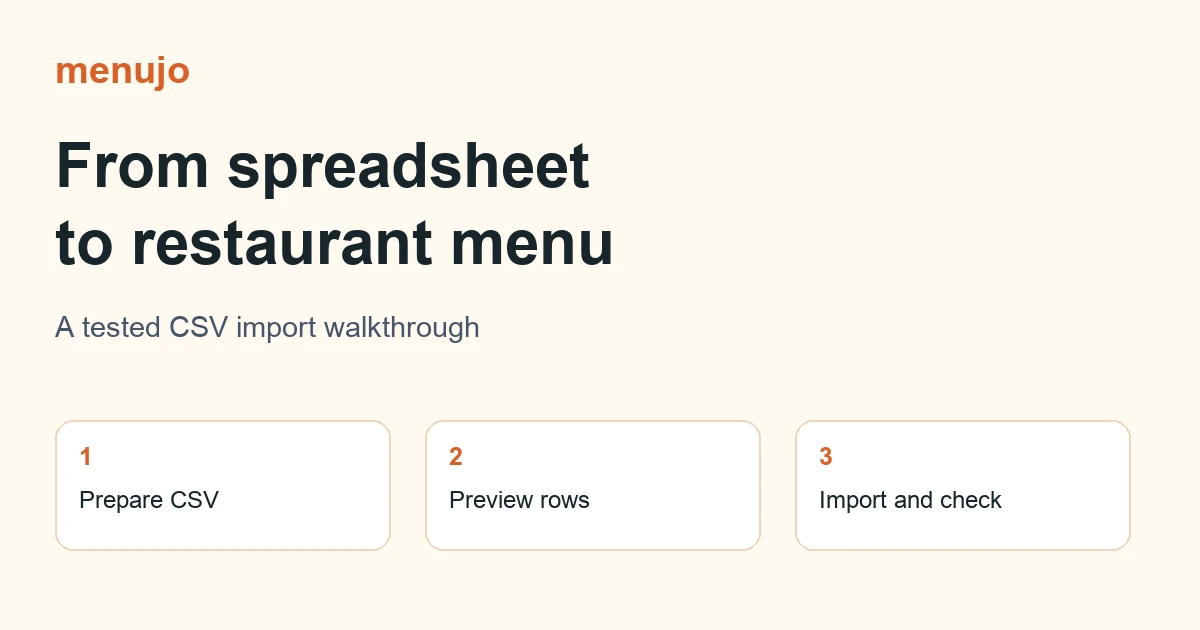
A manual spreadsheet is also useful: category, item, description and price. Record variants and required choices separately. Menujo's CSV import guide explains the supported fields and paid-plan gate. A menu import does not recreate checkout, delivery zones, taxes, customer accounts or payment settings.
Do you need online ordering, or only a menu?
GloriaFood's free plan included both QR code menus and online ordering, so some restaurants used it only as a menu while others ran their takeaway through it. The table compares what a display menu like Menujo does against what ordering platforms do, so you can see which side of the line you are on.
Choose by workflow
| Need | Menujo | What to verify for an ordering provider |
|---|---|---|
| Guests read dishes and prices | Display menu | Guest browsing |
| Guests order and pay online | Not included | Checkout, payment and service-area support |
| Keep content current | Save at the same public URL | Menu update workflow |
| Bring a spreadsheet | CSV import on Pro or Business | Actual fields and migration scope |
| Cost | Free $0; Pro $7/month or $70/year | Current currency, billing and fees |
If you use online ordering
Choose a replacement around the orders you actually process. Test required choices, pickup or delivery, payment failure, refunds, kitchen notifications and staff access in a supported test environment before moving customer traffic. Compare the full subscription, processing, hardware and migration costs using current written terms.
The platform comparison separates display menus from ordering and POS services without treating them as interchangeable.
What does moving a display-only menu to Menujo involve?
If GloriaFood was only ever your menu, Menujo does that job. The Free plan costs $0 and covers one menu with up to 50 items in 10 categories, with your logo and item photos. Pro is $7 a month or $70 a year. It raises the limits to 10 menus with up to 250 items and 50 categories each, and adds spreadsheet (CSV) import, so the spreadsheet you built from your GloriaFood menu can go in as one file. On Free you add items by hand. The import brings in categories, names, descriptions and prices, not photos, which you upload one item at a time.
Your menu has a share URL. Its downloaded QR is static and encodes that destination. Editing prices or item availability does not require changing the printed QR while the menu remains published at the same URL. Changing the slug, unpublishing the menu or losing service access can break that destination. Guests read the menu on their phone and order with your staff the way they do now.
The full plan list is on the Menujo pricing page. For GloriaFood set against the other options on cost and features, see the GloriaFood alternatives comparison. If this is your first digital menu, the guide to creating a digital menu for your restaurant covers structure, and adding a QR code menu to your tables covers placement and printing.