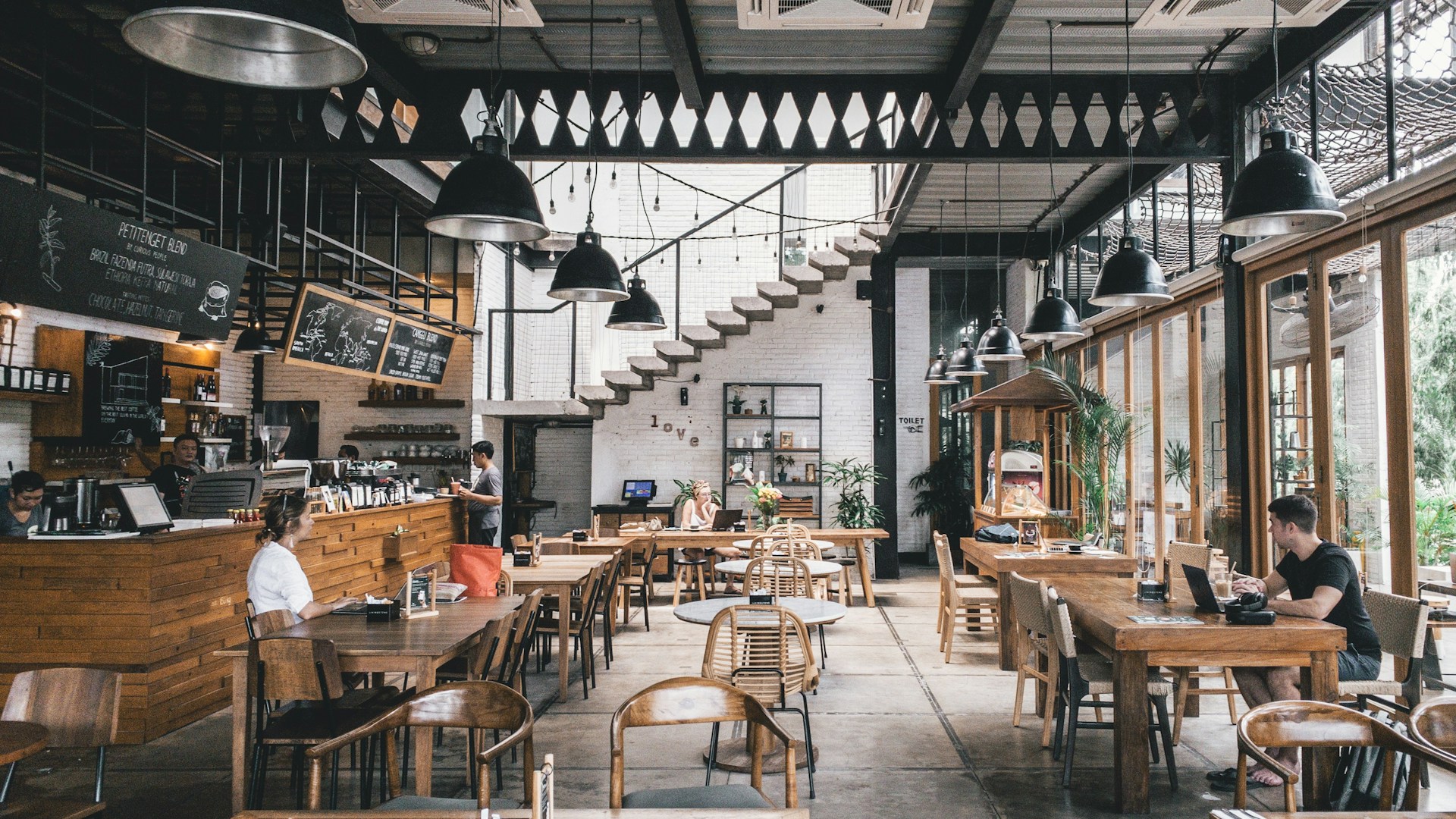
Cafés are not restaurants — and their menus shouldn't work like restaurant menus. A typical café has 25–40 items compared to 130+ at a chain restaurant, rotates 20–30% of its menu seasonally, and runs on a counter-service model where customers decide what to order in about 60 seconds.
That makes cafés the ideal use case for digital menus. Your menu is small enough to display beautifully on a phone screen, changes frequently enough that reprinting is wasteful, and your customers are already glued to their phones — 41% of coffee shop customers already order via mobile apps.
The US coffee shop industry is worth $75.5 billion with over 94,000 locations. Yet only about 45% have adopted digital menus. If you're in the other 55%, this guide will show you exactly how to set one up — with café-specific advice, not generic restaurant tips.
Most digital menu advice is written for full-service restaurants with 100+ items, table service, and menus that change twice a year. Cafés operate in a completely different reality:
Smaller, Focused Menus
A well-run café has 15–25 drinks and 10–15 food items, organized into 3–5 categories. That's a menu that fits on one phone screen — no endless scrolling, no decision fatigue. Research based on Hick's Law and the Paradox of Choice shows 3–5 options per category is the sweet spot for customer satisfaction.
Frequent Rotation
The core menu (espresso, americano, latte, drip coffee) stays stable, but 20–30% rotates seasonally: pumpkin spice in fall, iced matcha in summer, peppermint mocha in winter. Many cafés also run weekly specials. According to Clover's guide to café seasonal specials, limited-time offers are one of the most effective tools for driving repeat visits. On a printed menu, every seasonal change means a reprint. On a digital menu, it takes 30 seconds.
Counter Service Model
Café customers don't sit at a table and browse a menu — they walk up to a counter and order. Average wait time in line is about 3 minutes. Your menu needs to be scannable in seconds, whether it's on a board behind the counter, a QR code at the register, or displayed on the customer's phone while they wait in line.
Higher Mobile Adoption
Café customers are more digitally engaged than restaurant diners. Starbucks mobile orders hit 31% of all US transactions in 2024. App-based orders average 18–20% higher spend per order compared to walk-ins. Your customers are already comfortable ordering from a screen.
Here's the recommended structure for a café digital menu, based on industry best practices from 7shifts and Bellwether Coffee:
Essential Categories (3–5)
- Hot Drinks — espresso, latte, cappuccino, americano, drip coffee, hot chocolate, chai
- Cold Drinks — iced latte, cold brew, iced tea, smoothies, frappes
- Food — pastries, sandwiches, salads, bowls (keep it to 8–12 items)
- Seasonal Specials — your rotating selection (3–5 items, update monthly or quarterly)
- Add-Ons — alternative milks, flavor syrups, extra shots (optional as a visible category — helps drive upsells)
For Each Item, Include
- Name — use descriptive names, not just "Latte" (Cornell research shows 27% higher sales with descriptive naming)
- Price — show all size options if applicable (Small/Medium/Large)
- Short description — 10–20 words covering key flavor notes, origin, or ingredients
- Photo — at minimum for your specialty drinks and bestsellers. DoorDash data shows items with photos get 44% more sales
- Dietary tags — Vegan, Dairy-Free, Gluten-Free, Sugar-Free. Essential for the health-conscious café audience
Pro tip: put your highest-margin items first in each category. Customers spend 57% of their viewing time on the first screenful, so position your specialty drinks and premium pastries at the top.
Café QR code placement is different from restaurants because of the counter-service model. According to QR Code Generator's café guide and Scanova's café research, here are the most effective locations:
High-Impact Locations
- Counter / register area — a table tent or sticker right where customers order. They can scan while waiting in line and arrive at the register ready to order
- Window decal — visible from outside, letting passersby scan and browse your menu before entering. This is a proven foot traffic driver
- Each table — for cafés with seating areas, a small sticker or coaster-sized QR code on each table. Customers can browse for a second order or check the menu for their next visit
Often-Missed Locations
- Receipts and to-go bags — print the QR code on receipts for post-visit engagement (loyalty, reviews)
- WiFi card replacement — instead of a separate WiFi card, put a QR code that opens both the menu and displays the WiFi password
- Social media — share your QR code on Instagram stories and Google Business Profile
- Coasters — perfect for cafés with dine-in seating. Functional and always visible
The goal: your menu should be accessible at every point of the customer journey — from outside the door to the table to the receipt. For technical details on QR code sizing and scanning reliability, see our guide to dynamic vs static QR codes.
Once your digital menu is live, these café-specific strategies can increase average order value:
1. Photograph Your Specialty Drinks
Your signature latte art, colorful matcha, or layered cold brew — these are visual products. Advision reports that showing a photo of a dish on a digital screen increases sales of that item by up to 30%. Specialty coffee is inherently photogenic — use that advantage.
2. Use Seasonal Specials to Drive Repeat Visits
Create a dedicated "Seasonal" or "This Month" category at the top of your menu. Update it monthly with 3–5 limited-time drinks. The urgency of "available until October" drives purchases. Your digital menu makes this effortless — add the new items, remove the old ones, done.
3. Make Add-Ons Visible
Alternative milks (oat, almond, coconut), flavor syrups, extra shots, cold foam — these add $0.50–$1.50 per order. On a paper menu, add-ons are often listed in tiny print at the bottom. On a digital menu, you can make them a prominent, easy-to-browse category. ChowNow reports that 52% of customers opt for digital checkout upsells, increasing order size by 18.5%.
4. Bundle Drinks with Food
"Add a croissant for $2" or "Pair with our house cookie" — digital menus can display these suggestions dynamically. Combo pricing typically offers a small discount on the pair while increasing the total ticket.
5. Tell the Story Behind Your Coffee
Origin, roast profile, brewing method, flavor notes — these details add perceived value and justify premium pricing. 86% of millennials try a new restaurant or café after seeing food-related content. A digital menu gives you the space to share these stories without cluttering a small printed card.
How to Set Up a Digital Menu for Your Café
Choose a platform designed for small menus
Sign up for a digital menu platform like Menujo that works well with compact, focused menus. Avoid platforms that require 50+ items to look full — your 25–40 item café menu should look complete, not empty.
Organize into 3–5 categories
Create clear categories: Hot Drinks, Cold Drinks, Food, and optionally Seasonal Specials and Add-Ons. Keep 3–7 items per category. Put your highest-margin items first in each section — they get the most attention.
Add photos for your top 10 drinks and food items
Photograph your signature drinks, bestselling pastries, and any visually appealing items. Use natural lighting and a clean background. Items with photos generate up to 44% more sales (DoorDash data). You can add more photos over time.
Write descriptions with flavor language
Instead of "Latte — $5.50", write "Silky Oat Milk Latte — smooth espresso with house-made oat milk, a hint of vanilla — 5.50". Use sensory and origin language. Keep it to 10–20 words. Cornell research shows descriptive names increase sales by 27%.
Print QR codes for counter, tables, and window
Download your QR code and print it on: (1) a counter display at the register, (2) small stickers or coasters on each table, (3) a window decal visible from outside. The QR code links to your live menu — update the menu anytime without reprinting.
Set a monthly reminder to update seasonal items
Block 30 minutes each month to refresh your Seasonal Specials category. Add new limited-time drinks, remove expired ones, update photos. This keeps your menu fresh and gives regulars a reason to check back. The digital format makes each update instant.
Your café is already built for digital menus — small menu, frequent changes, mobile-savvy customers, counter-service model. The only question is whether you're still paying to reprint seasonal menu cards or updating your menu from your phone in 30 seconds.
Here's the recommended path:
- Start today — create your free café menu on Menujo. Add your core drinks, food items, and current seasonal specials
- Add photos gradually — start with your 10 most photogenic drinks, add more each week
- Place QR codes at the counter, on tables, and on your window by end of week
- Update monthly — rotate seasonal items on the 1st of each month
For the full business case on going digital, see how much menu printing really costs. For design tips that increase orders, read our digital menu design guide. And if you're new to digital menus entirely, start with what a digital menu is and how it works.
Frequently Asked Questions
How many items should a café digital menu have?
Industry experts recommend 15–25 drinks and 10–15 food items (25–40 total), organized into 3–5 categories with 3–7 items each. This is much smaller than a restaurant menu (130+ items) and is ideal for the focused, quick-decision café experience. Fewer well-executed items reduce waste and improve profitability.
How much does a digital menu cost for a coffee shop?
Free to $84/year for a basic QR code digital menu platform like Menujo. Premium plans with analytics and custom branding run $7–$50/month. This is far cheaper than reprinting seasonal menu cards 4+ times per year, which typically costs $200–$500 per print run plus design fees.
How often should a café update its digital menu?
Update seasonal specials monthly or quarterly (aligned with drink seasons). Run weekly specials if you have capacity. Your core menu (espresso, latte, drip coffee) should stay stable. The advantage of digital menus is that every update is instant and free — there is no cost to updating frequently.
Where should I put QR codes in my café?
The three highest-impact locations are: (1) at the counter/register where customers order, (2) on each table as stickers or coasters, and (3) as a window decal visible from outside. Also consider receipts, to-go bags, and your social media profiles. The goal is menu access at every point of the customer journey.
Do café customers actually use QR code menus?
Yes. 41% of coffee shop customers already order via mobile apps. Starbucks mobile orders reached 31% of all US transactions in 2024 — and 64% of Starbucks app users use it every visit. Café customers are among the most digitally engaged food service audiences.
Can I show different menus at different times of day?
Yes. Most digital menu platforms let you create separate menus (breakfast, lunch, all-day) and switch between them. Some platforms support automatic scheduling — show the breakfast menu from 6AM–11AM and the lunch menu from 11AM–3PM. This replaces the need for separate printed menus for each daypart.
How do I photograph coffee drinks for my digital menu?
Use natural lighting (near a window), shoot from above or at a 45-degree angle, and use a simple clean background. Capture latte art from directly above. For iced drinks, shoot at eye level to show layers. Smartphone photos in good lighting outperform dark flash photos. Start with your top 10 signature drinks.
Should my café have a printed menu or just digital?
Go digital-first with a small printed backup. A laminated card at the counter with core items and prices helps customers who prefer physical menus. But your seasonal specials, detailed descriptions, photos, and dietary information should live on the digital menu — it has unlimited space and instant updates.
How do seasonal specials work on a digital menu?
Create a Seasonal Specials category at the top of your menu. Add 3–5 limited-time drinks with photos and descriptions. When the season changes, remove old items and add new ones — takes about 5 minutes. This creates urgency (available until X date) and gives regulars a reason to check the menu on every visit.
Can I list add-ons and customizations on a digital menu?
Yes — and you should. Create an Add-Ons category showing alternative milks, flavor syrups, extra shots, cold foam, and other modifiers with prices. 52% of customers opt for digital upsells, increasing average order size by 18.5%. Making add-ons visible drives higher tickets without any sales pressure.
What is the best digital menu platform for cafés?
Look for platforms that: (1) work well with small menus (25–40 items), (2) support food photos, (3) offer free QR code generation, (4) allow instant updates from mobile, and (5) include dietary tags. Menujo offers all of these on a free plan. Avoid platforms designed for large restaurants that look empty with smaller menus.
Does a digital menu help with café marketing?
Yes. Your digital menu URL can be shared on Google Business Profile, Instagram, Facebook, and review sites — giving potential customers a preview before they visit. 86% of millennials try a new café after seeing food-related content online. Your digital menu is both a sales tool and a marketing asset.